How to Build Cold Email Infrastructure
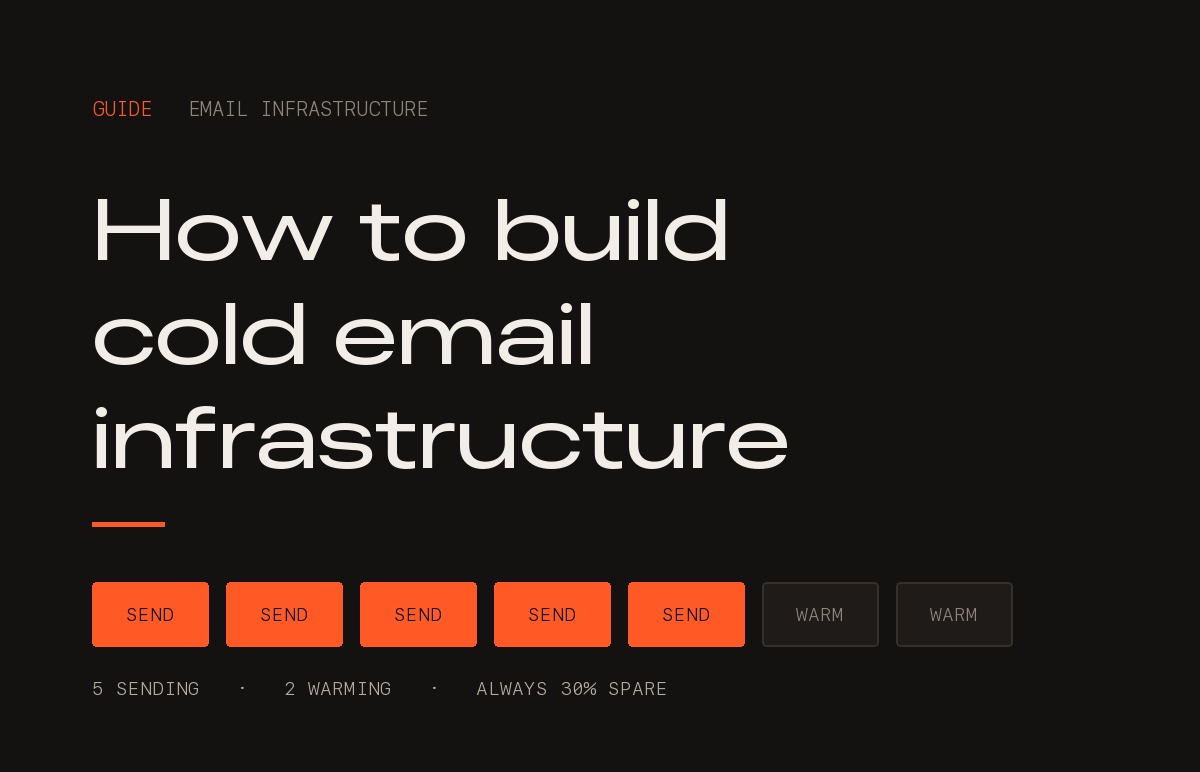
Most companies discover their email infrastructure is wrong at the worst possible moment: the week marketing decides to run volume.
Somebody asks why reply rates collapsed. Somebody else notices the domain extension and suggests that .io and .ai look spammy. A month goes into buying better domains, and nothing improves, because the extension was never the problem.
This is the setup we build before any campaign goes out. It is nine steps, it takes about seven weeks end to end, and roughly $100 to $200 a month at typical volume. None of it is clever. All of it is the difference between a campaign that tells you something about your market and one that tells you about your DNS records.
Infrastructure is a floor, not a lever
Worth saying before anything else, because it sets how much of your attention this deserves.
Getting infrastructure wrong caps you at zero. The best-written email in the world does nothing from a spam folder. But getting it right wins you nothing on its own. It only means the result you get is a real read on your market.
Messaging and targeting matter more. Far more. They are where the outcome actually lives. Infrastructure is a five-week problem you solve once and maintain quietly; who you write to and what you say is work that never stops.
So clear the floor, stop thinking about it, and put your attention where the return is. This is about clearing the floor.
First, the thing almost everyone gets wrong
The domain extension is not your problem.
It is true that .io, .ai and .org sit slightly worse with some spam filters than .com, because cheap extensions get abused more. It is a real signal. It is also a weak one, and nowhere near the top of the list.
What actually decides whether your email lands, in order of weight:
- Heavy: the sending domain's reputation, meaning its history of complaints, bounces and spam placement.
- Heavy: authentication. SPF, DKIM and DMARC, set up correctly.
- Heavy: what else that domain sends. Cold outreach sharing a domain with your invoices and support email poisons both.
- Medium: list quality. Bounce rate above 5% and you are marked as someone who buys lists.
- Medium: volume ramp. Nought to 300 sends a day inside a week reads as a compromised mailbox.
- Light: the extension, the copy, the images, the links.
So if you send from .org, .ai and .io and deliverability is poor, moving everything to .com will not fix it. The reputation problem moves with you.
1. Sort what you send into three buckets
Not by which team sends it. By how much damage it can do.
- Transactional and customer email: invoices, password resets, support replies. Zero tolerance for landing in spam.
- Marketing email to people who opted in: newsletters, product updates, nurture.
- Cold outbound: people who have never heard of you.
Three completely different risk profiles. The whole discipline is refusing to let them share a domain reputation.
2. Ring-fence the primary domain
Your main domain, the one on your website, sends bucket one only. Nothing else, ever.
If it gets flagged, your invoices stop arriving and your support replies land in spam. That is slow and expensive to undo, and you usually find out from a customer rather than a dashboard.
3. Put marketing on a subdomain
Bucket two goes on a subdomain: news.yourcompany.com, go.yourcompany.com. It inherits some of the parent domain's trust, but a spike in unsubscribes or complaints stays contained to the subdomain instead of hitting the root.
4. Buy separate domains for cold outbound
Bucket three does not touch your company domain at all. Not a subdomain. Separate domains you own. There are three approaches and all three are defensible.
- Brand-variation .com domains. try-yourcompany.com, getyourcompany.com, yourcompany-hq.com. Close enough that a prospect who checks recognises you. This is the default and what most clients pick, at roughly $10 to $15 a year each.
- Unbranded fresh domains. Some clients do not care about the name matching, on the view that almost nobody checks. They are right more often than not.
- Aged domains bought at auction. GoDaddy Auctions and similar sell domains that are three or four years old, and domain age genuinely helps deliverability. It is one of the few things here you can buy rather than wait for.
The caveat on aged domains, and it matters: you inherit the history, good or bad. A domain that spent 2022 sending spam is worse than one registered yesterday, and it will not warm up properly no matter what you do. Check before you buy. Run it through a blacklist checker, look at what it used to host on the Wayback Machine, and confirm it is not already listed. A cheap aged domain is usually cheap for a reason.
Point every domain at a simple redirect to your real site. A domain with nothing behind it is itself a spam signal.
5. Two mailboxes per domain, thirty emails a day each
Real human names, real job titles, real signatures, real photos. kunal@, not sales@ or info@.
Two mailboxes per domain. Thirty sends per mailbox per day, maximum. That ceiling is permanent. It is not a warm-up cap you graduate from.
The arithmetic is the whole capacity plan. Five domains times two mailboxes times thirty emails is 300 sends a day. Need more than that? Buy more domains. Never raise the per-mailbox number.
Google Workspace or Microsoft 365, bought properly. The cheap bulk SMTP providers run shared reputation, and you inherit whoever else is on that IP.
6. Authenticate every domain, all three records
This is DNS work, about twenty minutes per domain. Skipping it is the single most common reason a technically fine campaign lands in spam.
- SPF: a published list of who is allowed to send email as this domain. Without it, anyone can spoof you, and receiving servers know that.
- DKIM: a cryptographic signature proving the message was not altered in transit.
- DMARC: tells receiving servers what to do when SPF or DKIM fails. Start on p=none so you can read the reports without blocking anything, then tighten.
- A custom tracking domain: if your tool adds open and click tracking, it does that through a redirect link. Use your own domain for those links, not the tool's shared one that thousands of other senders are busy burning.
Steps four, five and six are a vendor job. Buying the domains, creating the Google Workspace mailboxes, setting the DNS records, loading everything into Smartlead or Instantly and starting the warm-up. A specialist vendor does all of it for a flat $3 per mailbox per month. Against someone in-house spending a week on DNS records and getting one of them subtly wrong, that is not a close call.
7. Warm up for three to four weeks, then ease in
A brand new domain sending thirty cold emails on day one is indistinguishable from a spammer, because that is exactly what a spammer does.
Warm-up runs for weeks one to four. Warm-up tools, built into Smartlead and Instantly or standalone like Mailreach, put your mailboxes into a network that emails each other, opens the messages, replies, and pulls them out of spam. It manufactures the sending history you would otherwise take months to build. There is no way to compress this, and every attempt shows up as a bounce rate two months later.
Then ease into real sending over two more weeks. Do not go from warm-up straight to full volume. Week one, ten real sends per mailbox per day. Week two, twenty. Week three onwards, thirty, and that is the ceiling.
Leave warm-up running permanently in the background at low volume. It is not a one-time step.
8. Buy 30% more domains than you need, and rotate
Always have spare domains warming that you are not sending from.
Think of it the way an airline runs a fleet. You never fly every aircraft you own. A portion is always in maintenance, and you cycle planes through it so no single airframe absorbs all the hours. That spare capacity is not waste. It is the only reason the schedule holds when one goes down.
Same here. Buy 30% more domains than your volume needs, keep them warming, and rotate mailboxes in and out of active sending. Two things fall out of it.
- No single mailbox carries all the wear. Reputation degrades with use, and spreading the load slows that down across the whole fleet.
- When a domain's numbers turn, you swap it out the same day for one that has been warming for a month. Without spares you either keep sending from a damaged domain or stop sending for four weeks.
Domains are consumable. Budget for replacing them, not for owning them.
9. Verify the list before it touches the infrastructure
This is critical, and it is the cheapest insurance you will buy. Bounces destroy a domain you just spent a month warming faster than anything else on this page.
Every address gets verified before you send to it.
- Use DeBounce or Leadmagic. We ran Million Verifier and the reliability was not good enough for us, with addresses it passed still bouncing. Both of these have held up better.
- Drop everything not marked valid. Drop catch-all domains, or send to them last and separately.
- Bounce rate must stay under 5%, and under 2% is where you want to be. Above 5%, stop the campaign. Do not push through it.
- Suppress anyone who has replied, unsubscribed or bounced, across every campaign, permanently.
10. Send through a dedicated tool, keep the CRM as the system of record
Cold outbound runs through a platform built for it. We use Smartlead, historically the better API, which matters when you are automating across many clients. Instantly is the other real option and has the better interface. Functionally the two are close enough that the choice comes down to which one you would rather look at every day.
Why not a CRM sequencer? HubSpot Sales Hub is a good tool that was not built for this, and the reasons are specific.
- It sends through your own connected mailbox. That is the whole mechanism, so cold volume rides on your primary domain, which is the exact thing step two exists to prevent.
- No mailbox rotation. One sequence, one sender, one reputation absorbing all of it.
- No per-mailbox throttling and no randomised send intervals. Cold platforms space sends irregularly across the day precisely because a perfectly even drip reads as automation.
- No warm-up, and no automatic pause when a mailbox's bounce or complaint rate turns. You find out from the numbers a week later.
- HubSpot Marketing Email will not take a cold list at all. Their acceptable use policy requires a lawful basis and in practice an opt-in, so pushing a cold list through it risks the account, not just the campaign.
The CRM stays the system of record. Replies sync back into it, contacts and deals live there, reporting does not change. You are moving the sending, not the data.
On reading the replies: both Smartlead and Instantly give you a unified inbox, so fourteen mailboxes do not mean fourteen tabs. Both can be configured in a few minutes to push positive responses straight into a Slack channel, which is what you actually want. The person who should reply sees it where they already are, rather than by remembering to log in.
Two things about the email itself
Copy is a different subject and this is not a guide to it. But two points sit on the line between infrastructure and content, and they come up every time.
Strip the HTML out of the first email. No images, no logo, no formatted signature, no tracking pixel, no styled buttons. A plain-text email from one person to another gets delivered better than the same message wrapped in markup, because that is what a real email looks like. Save the design for later in the sequence, once the domain has a relationship with that recipient.
Give people a way to stop, and in the early emails make it a reply. “Reply STOP and I will not write again” beats an HTML unsubscribe link for two reasons. It keeps the markup out of the message, and replies are a positive signal to the receiving mail providers, even a reply telling you to go away. You are asking for an action that helps your reputation on the way out.
The caveat, and it is a big one: we have watched plenty of campaigns send heavy HTML, full design, images and all, and get great results anyway. Everything here is a tilt in your favour, not a law. The offer matters more than any of it.
What good looks like
- Bounce rate: under 2% is good, over 5% means stop and fix.
- Spam complaint rate: under 0.1% is good, over 0.3% means stop and fix.
- Reply rate: 1% is average, and higher is better.
- Positive reply rate: 0.5% or above is good in our books.
- Sends per mailbox per day: thirty, and never more.
On positive replies, the number worth knowing. Across cold outbound generally, including agencies like ours, the positive reply rate is about 0.3%. That is three genuinely interested replies per thousand emails sent. We treat 0.5% and above as good. Where you draw that line is subjective and other people will draw it elsewhere, but the 0.3% baseline is what the work actually produces, and it is the number to plan volume against.
Run a spam placement test monthly. Mailreach, GlassMX and others send to seed inboxes across Gmail and Outlook and tell you where you actually landed. Open rate will not tell you this. A message can be opened from the spam folder, and Apple Mail Privacy Protection has made open rate close to meaningless anyway.
What it costs, worked through
Say you want 300 emails a day.
- Mailboxes needed: 300 divided by 30 per mailbox, so 10.
- Domains needed: 10 divided by 2 per domain, so 5.
- Plus 30% spare kept warming: 7 domains and 14 mailboxes.
- Domain registration: 7 at around $12, so roughly $84 a year.
- Vendor handling domains, mailboxes, DNS and warm-up: 14 at $3 a month, so $42 a month.
- Sending platform, Smartlead or Instantly: around $40 to $100 a month.
- Verification credits at this volume: $20 to $50 a month.
Call it $100 to $200 a month, all in, for 300 sends a day. That is around 6,000 emails a month at full volume. Against a single closed deal the infrastructure is a rounding error, which is rather the point. There is no good reason to do this cheaply and every reason to do it properly.
The timeline
- Days 1 to 2: buy domains, set up mailboxes, set DNS records.
- Weeks 1 to 4: warm-up. List building and verification run in parallel.
- Week 5: first real send, at ten a day per mailbox.
- Week 7: full volume, at thirty a day per mailbox.
Seven weeks to full volume is the honest number, and it is the part people try hardest to skip. No configuration removes it.
Then the part that actually decides it
Everything above gets your email into an inbox. It does not get it read, and it does not get it answered. Once the floor is clear, every remaining point of upside sits in two places.
- Targeting: who is on the list, and whether now is a plausible moment for them. Most bad campaigns are well-written emails sent to people with no reason to care.
- The offer: the specific reason a stranger replies. Not your service, and not a discount. The service is what they buy in month three; the offer is what they say yes to in week one. We wrote our method for building one down as The Offer Creation Framework, which is on our Tools & Frameworks page.
And the honest frame around all of it. Outbound takes 3 to 12 months of controlled experiments to find the play that works, and it still fails for 20 to 30% of companies. We do not fully know why. Infrastructure is what stops you failing for a reason that had nothing to do with your market or your message.
If you want the vendors
We do not sell email infrastructure. We use it every day across client campaigns, and over time we have found the vendors who do each part of this well, at the prices quoted above.
Side Kick can introduce you to the email infrastructure vendors we use for all our client work. Write to us at support@get-sidekick.com.